












Australia, New Zealand & Pacific Islands
Copyright © 2016 Toshiba Corporation. All Rights Reserved.

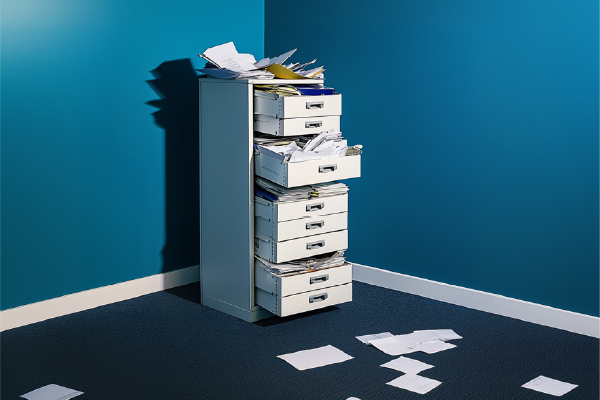 Important information enters businesses in many different ways.
An invoice arrives by email. A signed form is handed over on paper. A contract is uploaded electronically. A delivery docket is captured in the field. A new employee submits their onboarding documents.
But receiving the document is only the beginning.
Before the information it contains can be put to work, someone may need to read it, identify and extract the relevant data, name and classify the document, save it in the right location, enter information into another system and send it to the appropriate person for action or approval.
Each task may only take a few minutes. Multiplied across hundreds or thousands of documents, they can create a significant administrative workload.
Following the information, not just the document
The real challenge isn't simply getting documents into digital form. It's getting the information they contain to the place where it's actually needed.
Take an invoice. Once it arrives, the relevant information may need to be extracted, the original document stored in the appropriate location and the invoice routed for approval.
Or consider an employee form. Information may need to be extracted, securely filed and shared with the people who need it.
Every additional manual step takes time and introduces another opportunity for information to be mistyped, misfiled, overlooked or delayed.
That's why an effective document workflow needs to consider the entire journey – from the moment information enters the organisation to the point where it becomes useful.
Connecting the systems you already use
Automating some of those manual steps can make that journey faster and more efficient. But for most organisations, the goal isn't to replace the business systems they already use. It's to make information flow more efficiently between them.
That's where integration becomes important.
Toshiba's new e-BRIDGE Cloud Workflow captures documents and uses AI-powered technology to identify, classify and extract key information. Automated workflows can then deliver the document and data to the appropriate destination in your existing systems. The information lands exactly where you told it to, inside your own SharePoint environment, using your security and permissions. Ownership of the data never leaves your hands.
Getting information to where it belongs – and finding it again
Getting information to the right destination is only part of the challenge. It also needs to be stored in a way that makes it easy to find and retrieve when somebody needs it.
That's not always happening. Atlassian's 2025 State of Teams research found that Australian knowledge workers spend almost a quarter of their working week – around 10 hours1 – searching for the information they need to do their jobs, and 73% say it’s a challenge to find what they need.
Making information easier to find is therefore an important part of improving efficiency. Appropriate classification, indexing and metadata can make captured information searchable and easier to retrieve later – turning document processing from a filing exercise into a way of making business information more accessible and useful.
What does that look like in practice?
For an accounts payable team, an invoice can be captured, relevant information extracted and the document and data routed through the appropriate finance workflow.
For an HR team, employee documents can be classified and securely delivered to the systems and locations the organisation already uses to manage staff information.
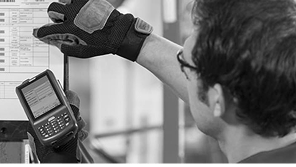
For a transport or logistics business, paperwork captured in the field can be routed directly to the appropriate repository, giving operational and finance teams faster access to the information they need.
The individual processes vary enormously, but the underlying challenge is the same: moving information from where it arrives to where it needs to be without relying on people to manually complete every step along the way.
Start with the workflow
The best opportunities for automation often become apparent simply by looking at the processes people already follow.
Where are staff repeatedly entering the same information? Which documents pass through several hands before reaching their destination? Where do approvals stall? Which processes rely on someone remembering to rename, file or forward a document?
These are the points where automation can remove unnecessary work.
Rather than requiring organisations to redesign their processes around the technology, Toshiba works with customers to understand their existing environment and configure e-BRIDGE Cloud Workflow around their requirements.
Because the goal isn't automation for its own sake.
It's to reduce the number of steps between receiving important business information and being able to find and use it.