












Australia, New Zealand & Pacific Islands
Copyright © 2016 Toshiba Corporation. All Rights Reserved.

Most organisations have processes that work well enough that nobody thinks very much about them.
 An invoice arrives and someone enters the details. A form is scanned and emailed to the next person. A document is renamed and saved into a folder. An approval is chased when somebody notices it hasn't come back.
Individually, these are small tasks.
Collectively, they can create a significant hidden workload.
The cost of manual document processing isn't simply the number of minutes someone spends typing information into a system. There are also the delays, errors, duplicated effort and risks created each time information has to be manually handled.
Manual processes often go hand in hand with another unseen cost: data sitting in filing cabinets, inboxes and shared drives without clear structure or ownership. Finding, checking and managing that information creates additional work.
Understanding those less obvious costs is often the first step towards deciding where automation could make a difference.
Consider a task that takes an employee five minutes.
Once a week, it is insignificant. Repeated dozens of times every day across several employees or departments, it becomes something very different.
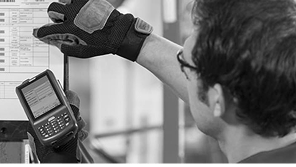
Manual document processing can require employees to open documents, identify information, re-enter data, rename files, select storage locations, forward documents and chase approvals.
None of those tasks is particularly complex. But they consume time that could be spent on work requiring the employee's knowledge, experience and judgement.
A process that works adequately for 100 documents may become cumbersome at 1,000. Even a small amount of manual handling quickly adds up. If processing each document takes just three minutes, 1,000 documents represent 50 hours of administrative work.
Time isn't the only consideration.
Every manual touchpoint creates an opportunity for error, particularly when there aren't clear rules about where information should be stored and who is responsible for it.
A number can be mistyped. A document can be saved in the wrong folder. An email can be sent to the wrong recipient. An approval can be overlooked.
Sometimes the consequence is simply a few minutes spent correcting the mistake. In other circumstances, particularly where documents contain personal, financial or commercially sensitive information, the implications can be considerably more serious.
The Office of the Australian Information Commissioner reported that human error accounted for 37% of all data breaches notified in the first half of 20251, up from 29% in the previous reporting period.
That doesn't mean automation eliminates data security risks. It does, however, demonstrate the importance of designing processes with the knowledge that human error can occur.
Reducing unnecessary manual handling can reduce the number of opportunities for some types of mistakes, while creating more consistent processes for managing sensitive information.
Manual processes can also make it difficult to see where a document is in its journey.
Is it waiting for approval? Has somebody processed it? Was it filed? Who needs to act next?
When processes depend on email, shared folders and individual employees remembering the next step, answering those questions can itself become another administrative task.
And as an organisation grows, those informal processes can become increasingly difficult to sustain.
Workflow automation allows repeatable steps to happen automatically, helping information continue moving rather than waiting for someone to manually progress it.
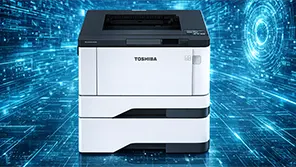
Toshiba's e-BRIDGE Cloud Workflow is designed to automate repetitive document processes.
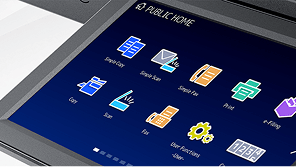
Documents can be captured from Toshiba multifunction devices, desktops or mobile devices. AI-powered technology can identify and classify documents and extract relevant information, while automated workflows route documents and data into cloud storage and collaboration platforms such as SharePoint, OneDrive and Google Drive. Security controls and automated auditability can also help organisations manage information more consistently and support governance and compliance requirements.
The aim of workflow automation isn't to automate everything.
Some processes require expertise, judgement, discussion or human oversight – and they should.
A better place to start is with the repetitive work that doesn't.
Look for documents that are routinely re-keyed, renamed, forwarded, filed or chased. Look for information employees enter more than once. Look for processes that work until volumes increase or a key person is away.
Those small points of friction can reveal where time and effort are quietly being lost.
Removing them doesn't just make document processing faster. It gives people more time to do the work where their skills actually add value.